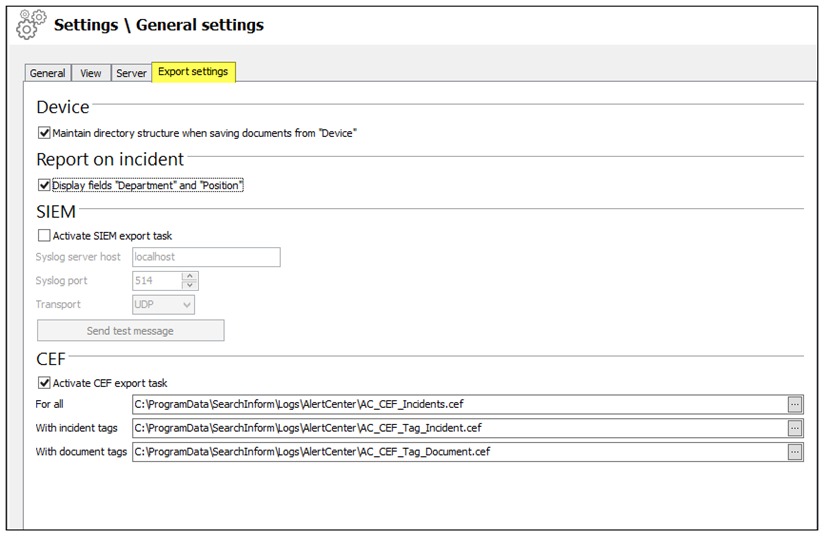
- Navigate to Alert Center → Settings → General Settings.
- Open the Export Settings tab.
- Click SIEM Export Settings.
- In the SIEM section, enable the checkbox Activate SIEM export task.
- Complete the form with the following details:
- Name or IP address of the SIEM syslog server
- Port to which syslog messages will be sent
- Transport protocol used to transfer data to the SIEM system
- Click Send test message to verify server availability.
- Click Apply to save the configuration.